
The South Orange County Community College District (SOCCCD) Banner Team consists of several cross-functional groups that helped shape the configuration and deployment of the enterprise resource planning (ERP) system.
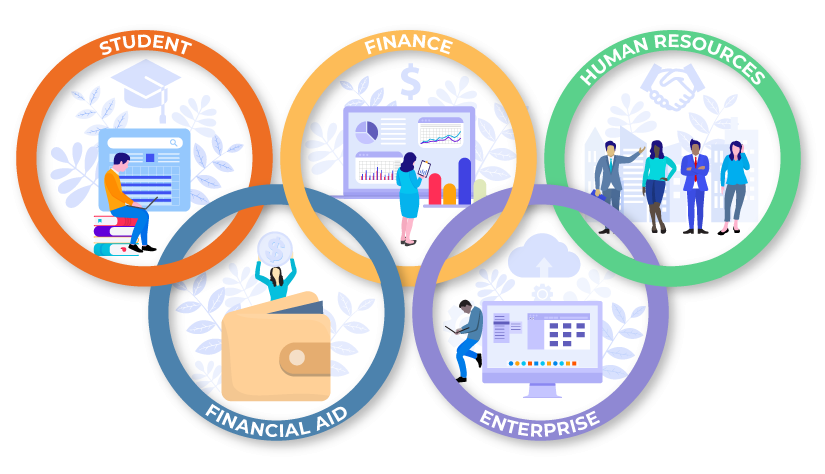
These groups include the Steering Committee (vice presidents and executives); Functional Leads representing key enterprise areas—including Student Services, Finance, Human Resources, Financial Aid, and other enterprise operations; the IT technical team (internal and external IT resources); and the end-user community (classified staff, faculty, management, and students).
During 2025, many years of hard work and project planning by the Banner Team were realized with the launch of all core modules for the ERP system. Collaboration across Irvine Valley College, Saddleback College, and District Services led to the successful deployment of the largest software project in the history of the District. While project progress has been significant, the work continues into the post-implementation phase. Kudos to all of our employees that have demonstrated extraordinary commitment, resilience, professionalism, and care for students and colleagues along the way.
ERP job aids and status reports are available in the SharePoint site, and a feedback form available to submit suggestions for improvements
Helpful Employee Resources
- How to Change Your Banner Profile Name to Your Preferred Name
- SOCCCD Banner Project Team | TeamBanner@socccd.edu
Glossary of Banner Terms
- Business Process Analysis (BPA): A review of existing processes and comparison to a new process.
- DOGS: Acronym for Data Organization and Governance Standards team
- Ellucian: The company that created Banner, the enterprises resource planning (ERP) system
- Ellucian Experience: Experience will be the portal and main entry point into Banner for most users.
- Ethos: Tool used to move data between Banner and other applications
- FLAC: (Faculty Load And Compensation) merges faculty information from Student and HR systems and creates faculty assignments and pay
- General Person: Banner treats everyone as a “person,” meaning employees, students, vendors, and retirees are all tracked in the same area. The term General Person is a key change from our current Workday/MySite way of operating, as they were two separate collections of people, but in Banner, are one
- Insights: Data warehouse and reporting tool
- Iteration: A Banner building process of gathering requirements, building/ configuring the system, conducting testing and remediation, then repeating that process
- Position Control Data: Information associated with every job position; a code assigned to a job
- Preview 50: A small subset of users--approximately 50--will be involved in targeted testing.
- UAT: User Acceptance Testing
Banner Forms Glossary
- FOAPAL (Fund, Organization, Account, Program, Activity, Location): While not a form, this is a critical concept in Banner's finance system, representing the structure of financial accounts and budgets.
- RPAINFO (Faculty/Advisor Information Form): This form is used to enter and query information about faculty and advisors, including schedules, advisees, and office hour
- SFAREGS (Student Registration Form): This form is used to register students for classes. It includes information on course sections, registration status, credits, and levels.
- SFASLST (Student Class List Form): This form provides a list of students enrolled in a particular course section, often used for attendance, grading, and communication purposes.
- SOATEST (Test Score Form): This form is used to enter and query standardized test scores for individuals, such as SAT, ACT, GRE scores, which can be used for admissions, placement, or credit purposes.
- SPRIDEN (General Person Identification Form): This form is used to enter or query person information in the system, including students, faculty, staff, and other individuals associated with the institution.
- TSAAREV (Accounts Receivable Application Form): This form is used to manage student accounts, including charges, payments, and refunds.
Contact Information:
SOCCCD Banner Project Team | TeamBanner@socccd.edu